
Know who on your team can work with AI, and where they can’t yet.

Skillscreen.ai gives each employee a 25-minute assessment written from your own tools and rules. You get a level for every area of AI work, per person, with the evidence beside it1, and a learning step for anything below Ready. No overall score, no ranking.

For sales, operations, product, purchasing, finance, and the AI architects and developers who support them. No coding questions.

Sample 01 · Scenario, answer, evidenceFictional

Scenario. A customer sends a purchase order PDF with their bank details on it. You want the assistant to pull out the line items. What do you do first?

Written answer, excerptI’d black out the bank details and the tax ID, then upload it to Claude Team and ask for a table of part numbers and quantities. Then I’d spot-check the quantities against the PDF before it goes into the quote.

1 Evidence. Names the approved tool. Keeps the sensitive fields out. Checks the output before it moves on.

? Not established. Whether they would check the total against the ERP, which this scenario did not ask.

Data handling: Ready
Sample 02 · A team’s levels by area, after one sitting. Fictional team, example data.
PersonPromptCheckToolsFlowSetupDataFix
Jordan R.RGRRGRR
Priya S.RRRGRRR
Marcus B.GTRGTGG
Elena O.RGGRRTR
Tom N.RRRRGRR
Derek W.GTGTTTG
RReadyGReady with guardrailsTNeeds training

2One level per area, per person. Nothing is added up into a single number, because a person who is Ready at prompting and Needs training at data handling is not “72%”. They are someone who should not be uploading documents yet.

3Levels drive training, not performance reviews. A Needs training cell assigns one module and a short retake on that area alone.

02The problem

Most AI mistakes are ordinary, and nobody is set up to catch them.

This is the kind of email that goes out every week. The assistant drafted it in eight seconds. Everything in it reads well. One line in it is not true.

4The 40% is not on the datasheet. The assistant produced it, and it is the sentence a customer will remember. A person who is Ready at checking output catches this before it ships. One who Needs training sends it, and the correction lands in a quarterly review.

Cut-paper illustration: a hand with a plum pencil has just circled one line of a typed letter.
Ready at checking output looks like this: the one line that cannot be sourced gets circled before the email leaves.

Names, companies, and numbers here are invented. The pattern is not: the assessment’s checking-output items put a plausible draft in front of someone and ask what they would verify before sending.

03How it works

Built for your team in an afternoon. Taken in 25 minutes.

1

You describe how the team works

The tools people are allowed to use, the tasks they do with them, the data that must never enter an AI, and who approves what.

Team profile, excerptApproved assistant: Claude Team. Never enters AI: customer bank details, unredacted POs. Quotes over $25k: sales manager approves.
2

Scenarios are rewritten to it

Every item starts from a published skill objective and is rewritten around your tools and rules, then you approve the set before anyone is invited.

Scenario, rewrittenA customer’s PO PDF includes bank details. You want line items out of it. Best next step?
3

People take it, you see evidence

About 25 minutes, untimed. Four formats: pick the next step, spot the risk in a draft, order a prompt, write one. Then a level per area, the evidence, and a learning step.

Result, one areaData handling: Ready with guardrails. Redacted before upload; did not say who checks the total. Next: Verifying extracted figures, 12 min.
04Try one

Questions look like Tuesday afternoon on your team.

Pick an answer and read why. The explanations depend on the assumptions below, which is the point: in the product they are your assumptions, and the best answer moves with them.

Assumed policy for this sample
One approved assistant, provided by the company. Customer bank details, tax IDs, and personal phone numbers never enter any AI tool. Redacted documents may be uploaded to the approved assistant.
What it is testing
Data handling: whether someone can get the useful work out of an AI tool without putting the sensitive part in.
What it is not
A live assessment. Nothing you pick here is sent or stored.
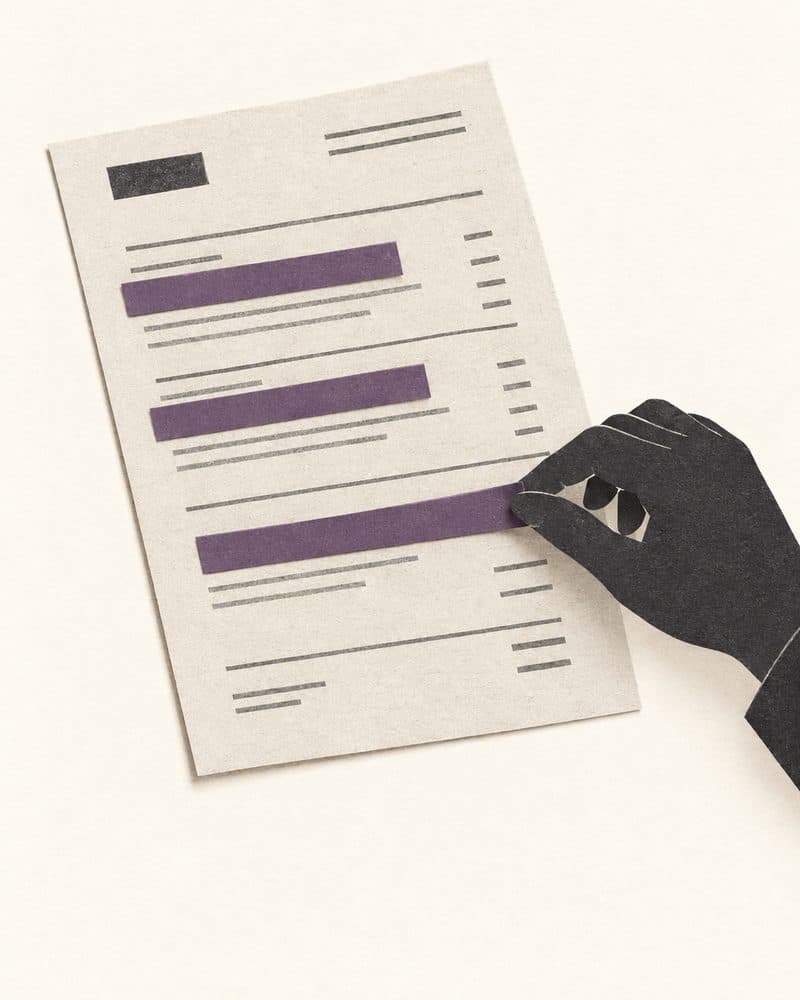
Cut-paper illustration: a hand lays the last of three plum paper strips over lines of a printed purchase order, redacting them.
The habit this item is looking for. The bank details are covered before the PDF goes anywhere, and the useful lines are still readable.
Sample scenario · Data handling · Nothing is sent or scored

A customer’s purchase order in the chat

A customer emails a purchase order PDF. It includes their tax ID, bank details, and a contact’s mobile number. You want the assistant to pull out the line items and quantities. What is the best next step?

Choose the best next step

In a real sitting this item is rewritten with your tools and your rules, and the explanation is shown to the person afterwards.

05Results

What a manager gets: levels by area, the evidence, and the next step.

Priya S. · SalesReport excerpt · September sitting · Fictional
PromptingReady
Ordered a four-part prompt correctly and wrote one that named the audience, the format, and the source to use. Draft a two-paragraph reply for a procurement lead, using only the attached spec.
Checking outputReady
Flagged the unsupported claim in the sample draft and named what she would check it against. The datasheet, and if it isn’t there, it doesn’t go in the email.
Data handlingReady with guardrails
Redacted the PO before upload. Not established: whether she checks extracted totals against the ERP before they reach a quote.
Next: Verifying extracted figures, 12 min, then a 4-question retake on this area.
WorkflowNeeds training
Chose to automate the approval step rather than the drafting step.
Next: Where the human stays in the loop, 15 min.
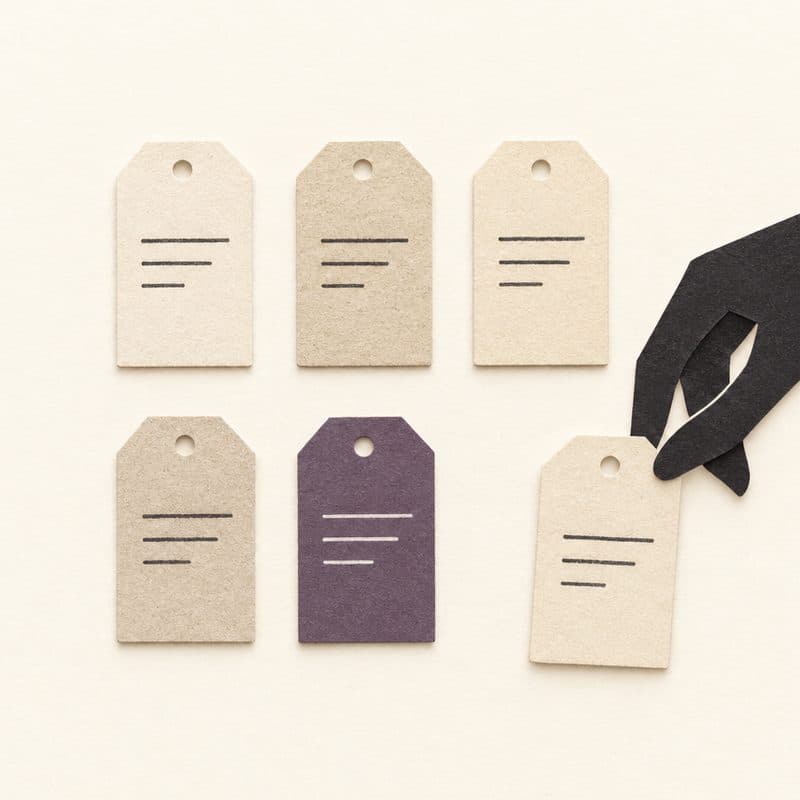

5Three levels per area. Ready means they work independently there. Ready with guardrails means productive with a review step. Needs training assigns one module.

Cut-paper illustration: a hand places the last of six paper tags into two neat rows; one tag is plum.
One tag per area, not one grade per person. The plum one is the area that gets a module.

6“Not established” means the sitting did not establish it, never that the person cannot do it. A short retake on one area updates one level.

There is no overall score and no leaderboard. The team view on the first screen is the same report, one row per person, so a manager can see where a whole team needs the same module.

06Who it’s for

Assessment tools test developers. Your AI risk is everywhere else.

HackerRank, CoderPad, and their peers test code. They cannot tell you whether a salesperson or an operations lead can work safely with AI tools, connectors, and workflows. Skillscreen.ai is built for those roles first, and covers the AI-facing technical roles too.

  • SalesQuotes, customer replies, and what may leave the company in a draft.
  • OperationsProcess documents, hand-offs, and which step should stay with a person.
  • Customer serviceDrafted responses, escalation, and knowing when the assistant is guessing.
  • ProductResearch synthesis, specs, and checking what the assistant claims a source says.
  • Purchasing and financeSupplier documents, figures pulled from PDFs, and what gets verified before it is booked.
  • AI architects and developersTool design, context, permissions, and failure handling, on the same track as the Claude certifications.
  1. Four skill tracksAI at Work, AI Developer, AI Builder, AI Architect: 27 domains and more than 100 published sub-objectives from the leading AI certification blueprints.
  2. A bank that already existsOur sister site, aicertificates.study, turns those blueprints into practice forms and modules. Skillscreen.ai draws on the same bank of 1,200+ items.
  3. Rewritten to your teamEach item is adapted to your profile and approved by you before anyone is invited.
  4. Separate from hiringThe employee assessment is self-serve. Hiring screens for AI-facing roles are a different, manager-led interview workspace, on the Company plan.
07Pricing

A seat is one assessed person. Retakes are free.

FeatureStarter$49/ monthTeam$79/ monthCompanyLet’s talk
SeatsOne assessed person eachUp to 15Up to 40As many as you need
TeamsOneUp to fiveUnlimited
Skill tracksAll fourAll fourAll four
Levels, learning plan, retakesIncludedIncludedIncluded
Company rollup across teamsNot includedIncludedIncluded
Scenario editor and progress over timeNot includedIncludedIncluded
SSO and LMS syncNot includedNot includedIncluded
Hiring screens for AI-facing rolesManager-led interview workspace, separate from the employee assessmentNot includedNot includedIncluded
Keep me postedKeep me postedGet in touch

Incumbent assessment tools run roughly $80 to $400+ per month and test developers only.

08Stay in the loop

Pilots are being set up now. Want to hear when they open?

Leave an email and you get the details first: how a pilot runs, what a team needs to provide, and what comes back. One or two emails, then only when there is something to say.

Details first, then only when there is news. No drip sequence.

Cut-paper illustration: an open ivory envelope with a folded plum note half pulled out.
What you get: one note when pilots open, with how they run and what a team needs to bring.
  • 25minutes per employee, untimed
  • 3levels per area, no overall score
  • 0coding questions